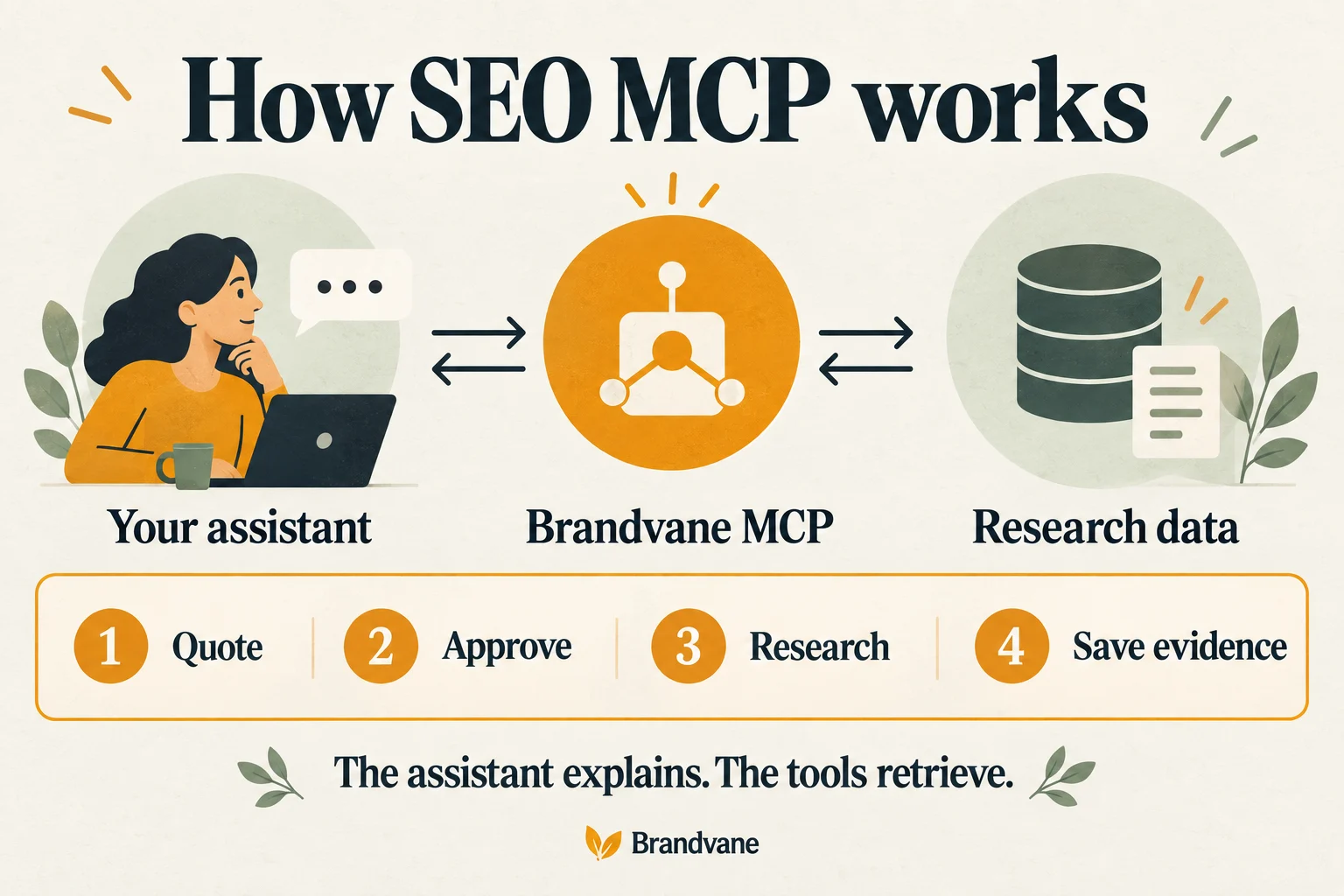
An SEO MCP server gives a compatible AI assistant access to specific SEO tools. Instead of asking the assistant to guess a competitor’s keywords, you can ask it to retrieve a report, explain the source and save the evidence behind its recommendation.
MCP stands for Model Context Protocol. The assistant is the interface you talk to; the server exposes the research actions it can request. The MCP architecture documentation describes how an AI application connects to servers that provide tools and context. The protocol itself does not supply a search database or guarantee the quality of a recommendation.
This guide uses Brandvane as a working example. For exact connection settings, go directly to the Claude setup guide, ChatGPT setup guide or Codex setup guide.
What can an SEO MCP server do?
Capabilities depend on the server. In Brandvane, a connected assistant can request related keywords, inspect a chosen competitor’s keywords, compare two websites for keyword gaps, retrieve referring domains, and inspect Google search results. It can also retrieve basic website audits and supported AI visibility evidence.
These are different jobs. A keyword suggestion report helps you discover phrases. A competitor report describes a selected website’s estimated search footprint. A Google snapshot records an ordered set of results for a particular query and market. Ask the assistant to name the evidence it used before treating its conclusion as established.
For example, “Find competitors” is broader than “Show keywords for this competitor.” If you already know a competing domain, provide it. Do not assume a selected-domain report has exhaustively discovered your market.
Choose a server by the work you need
Before connecting, check four things:
- Data and coverage. Which provider supplies the results? Which countries, languages and row limits apply? Is the request live, retrieved from a database or reopening saved work?
- Costs. Does the tool quote the charge? Do you pay a subscription, provider usage, or both? Your assistant’s own plan can add a separate cost.
- Permissions. Which workspace will receive the research, and how can you revoke the connection? A tool that starts recurring research needs a different decision from one that reads a saved result.
- Evidence you can keep. Can you export the results with their source, settings, dates and limitations? An explanation should remain useful after the conversation ends.
A broad tool list is less useful than a small set that completes your actual task. For a first evaluation, choose one keyword and one market, then follow the result all the way into a saved brief.
How to connect Claude to an SEO MCP
Open your Brandvane workspace and select Connect your agent. Use the Claude settings shown there and complete the sign-in and workspace consent flow. The Claude connection guide contains the server address and current setup details.
An SEO skill and an SEO MCP connection serve different roles: instructions can help an assistant follow a process, while connected tools supply the data that process needs. A skill that recommends keyword research does not establish that a paid research provider is connected.
For ChatGPT or Codex, use the corresponding setup guide rather than copying Claude’s settings. Custom connection availability and permissions depend on the client and workspace. These guides describe custom connections, not a promise of public directory approval.
Try a bounded research workflow
Once connected, start with a quote. This sample uses a hypothetical shop selling handmade wooden lamps:
Use Brandvane to show my current research allowance.
Quote keyword research for "wooden desk lamp" in the US.
Show the credit cost and maximum result count.
Wait for my approval before starting paid research.
Brandvane’s keyword research currently costs five SEO credits for up to 25 related keywords. The free quote lets you check the proposed request before spending. Review the current plans and limits as part of your evaluation.
After you approve that specific request and receive its result, ask:
Using only this saved result, group the keywords by customer task.
Keep each reported volume and difficulty attached to its source.
Mark missing values as unavailable. Explain which three phrases
deserve a separate Google-results check. Do not run those checks yet.
The assistant’s grouping is an interpretation; the returned metrics are provider estimates. Keep those two layers distinct. Our ChatGPT keyword research walkthrough develops this into a page brief.
Save results and avoid accidental repeat work
Retrieve completed research from the selected workspace. Brandvane lets you export saved results as CSV or a Markdown brief without starting another provider request. In the dashboard, those actions appear under Recent research.
If a response is interrupted, check its receipt before trying again. Reopening a saved result is different from sending the same research with a new request identifier, which can incur another charge. Automatic reuse across new equivalent requests should not be assumed.
Optional weekly Google rank checks also require a separate recurring decision. They consume SEO credits on each run, and the first run is due immediately. They do not schedule AI answer monitoring.
Does connecting an SEO tool improve rankings?
The connection makes research available inside your assistant. Results still depend on what you publish, the usefulness of the page, competition and other search factors. Tool access is not a ranking signal or a guarantee of recommendations in AI answers.
Start with a question you need answered today. Explore Brandvane’s research tools, then use the connection guide for your assistant to quote one specific task.